All in 1 Search2.0
Publisher Description
Your companion to search any website.
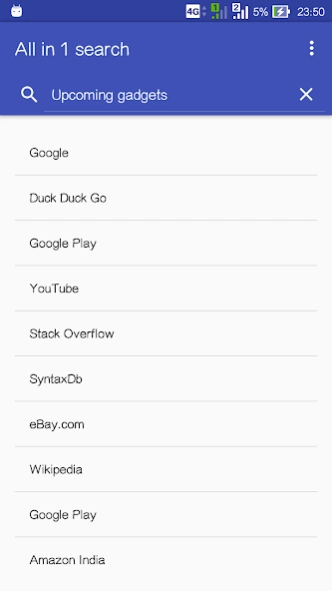
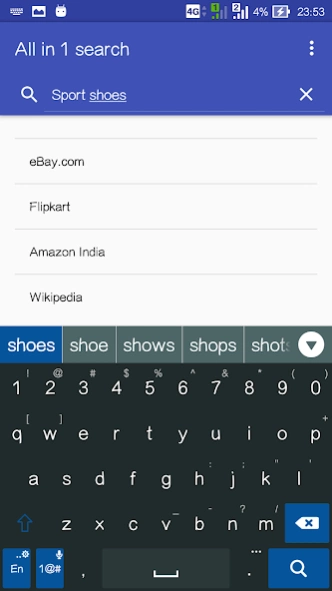
All in 1 Search is extactly what it says. It allows you to do a web search with a wide range of search engines. Save time and data by not having to visit sites everytime to search. Instead land directly on the results page. Has a list of search engines like Google, DuckDuckGo, Yahoo!, Bing and Shopping sites like eBay and Amazon. Don't feel satisfied? Add your own search engines. Or suggest us.
Features:
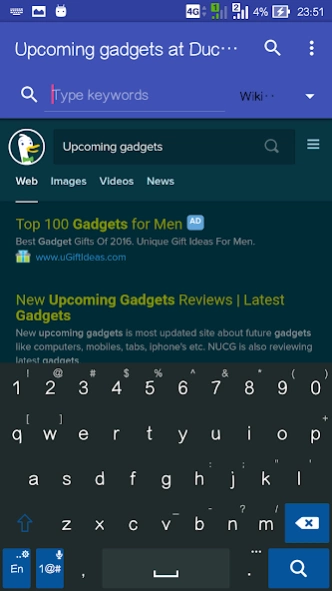
★ Type keywords and tap the search engine to get results directly.
★ Reorder and customize your list.
★ Add your own search engines or choose from the available.
★ Browse results on your favorite apps or within this app.
★ Save time and data by searching quick.
★ Add and customize widget to homescreen to access quickly.
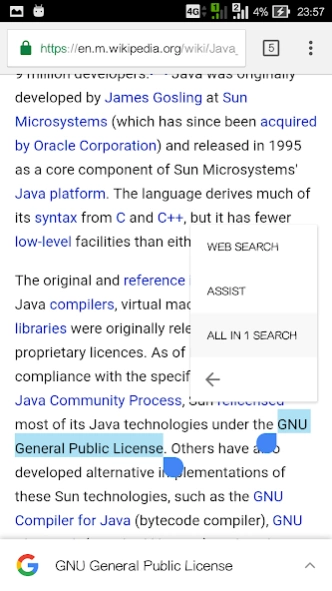
★ Select any text and search it directly (on Marshmallow+ devices).
★ No banner ads or full screen ads to interrupt your searching.
The search engine and website names are Trademarks of the respective owners.
About All in 1 Search
The company that develops All in 1 Search is Arunsoft. The latest version released by its developer is 2.0.
To install All in 1 Search on your Android device, just click the green Continue To App button above to start the installation process. The app is listed on our website since 2017-06-06 and was downloaded 1 times. We have already checked if the download link is safe, however for your own protection we recommend that you scan the downloaded app with your antivirus. Your antivirus may detect the All in 1 Search as malware as malware if the download link to com.arunsoft.search is broken.
How to install All in 1 Search on your Android device:
- Click on the Continue To App button on our website. This will redirect you to Google Play.
- Once the All in 1 Search is shown in the Google Play listing of your Android device, you can start its download and installation. Tap on the Install button located below the search bar and to the right of the app icon.
- A pop-up window with the permissions required by All in 1 Search will be shown. Click on Accept to continue the process.
- All in 1 Search will be downloaded onto your device, displaying a progress. Once the download completes, the installation will start and you'll get a notification after the installation is finished.
Program Details
System requirements
Download information
Pricing
Version History
version 2.0
posted on 2017-06-06
Introducing the next gen of the app - Version 2.0.
New feature: Now Search and select the search engine with just your voice.
Tap the Mic Icon and say " on ".
Example :
Say "Android on Wikipedia"
Say "smartphones on amazon.com"
Now searching is even faster right? Don't forget to drop your reviews. :)
